
Quick Setup
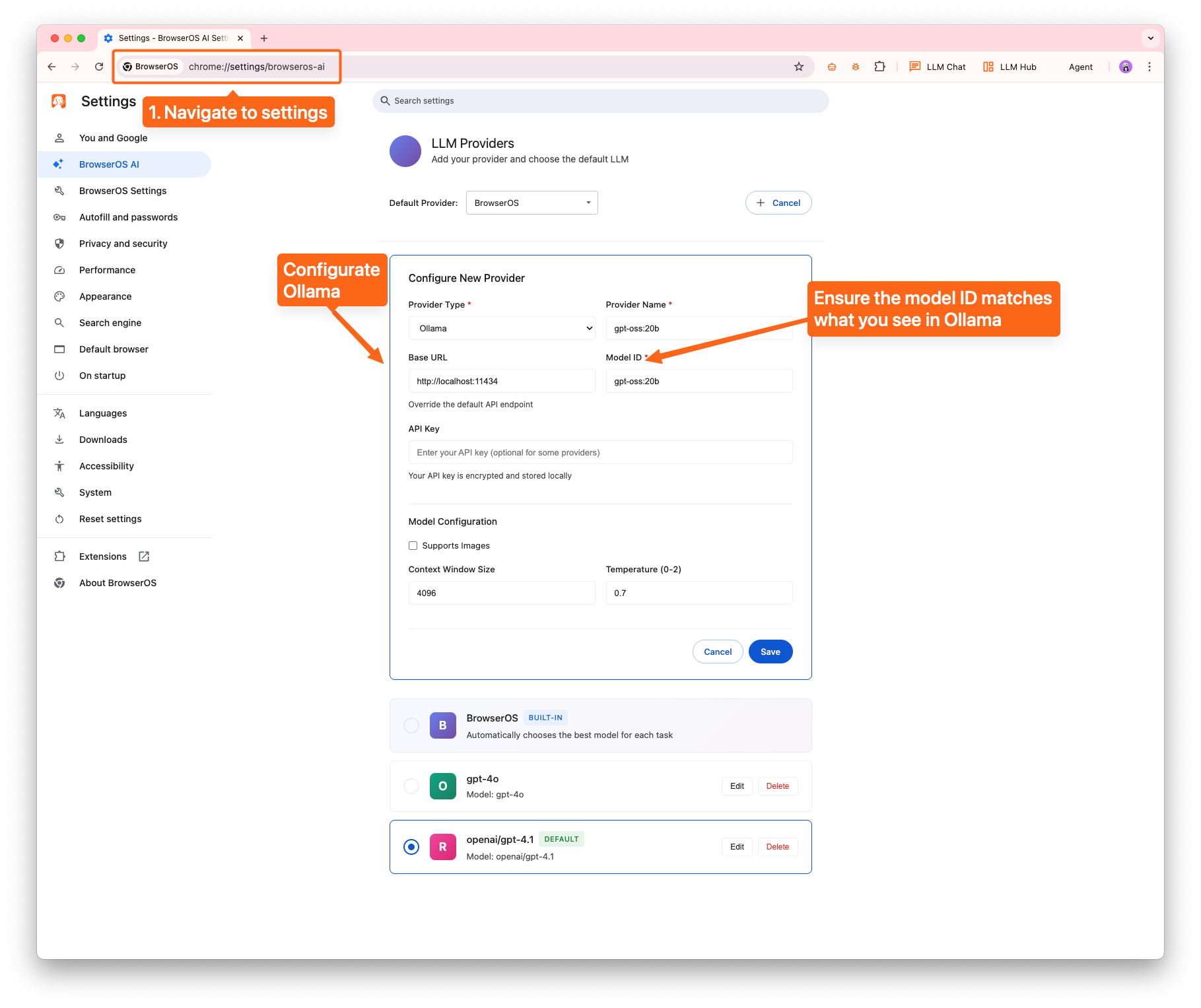
Navigate to AI Settings
Navigate to
chrome://egovernmentos/settings or click the Settings icon on the new tab page to add Ollama as a provider.Detailed Visual Guide
Step 1: Navigate to Settings Page
Navigate tochrome://egovernmentos/settings or click the Settings icon on the new tab page
Step 2: Get the Ollama Model ID
Identify and copy your Ollama model ID for configuration.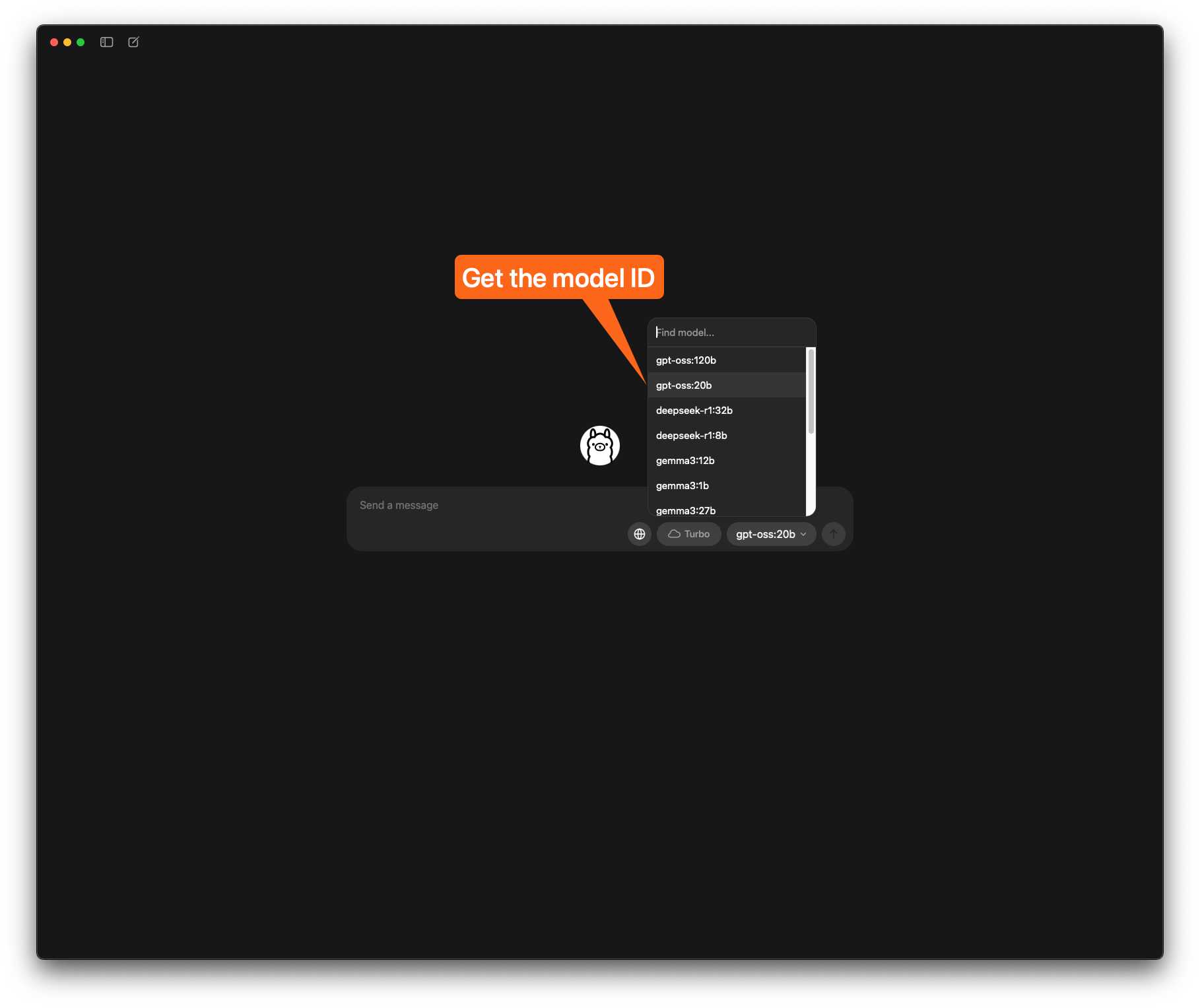
Step 3: Start Ollama from CLI
Run Ollama to start the local server: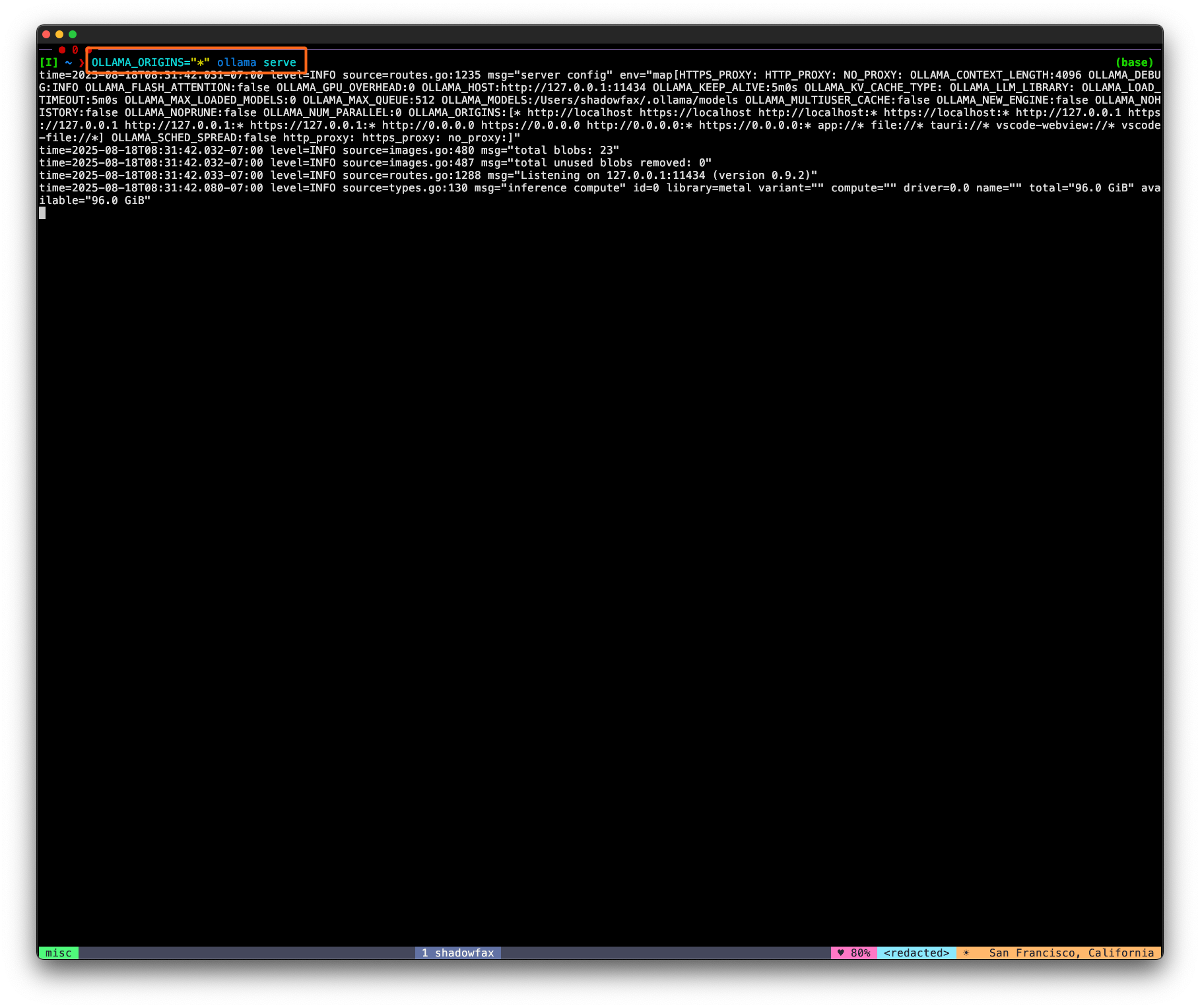
Step 4: Use the Model
Select the model in the Agent dropdown and start using it! 🚀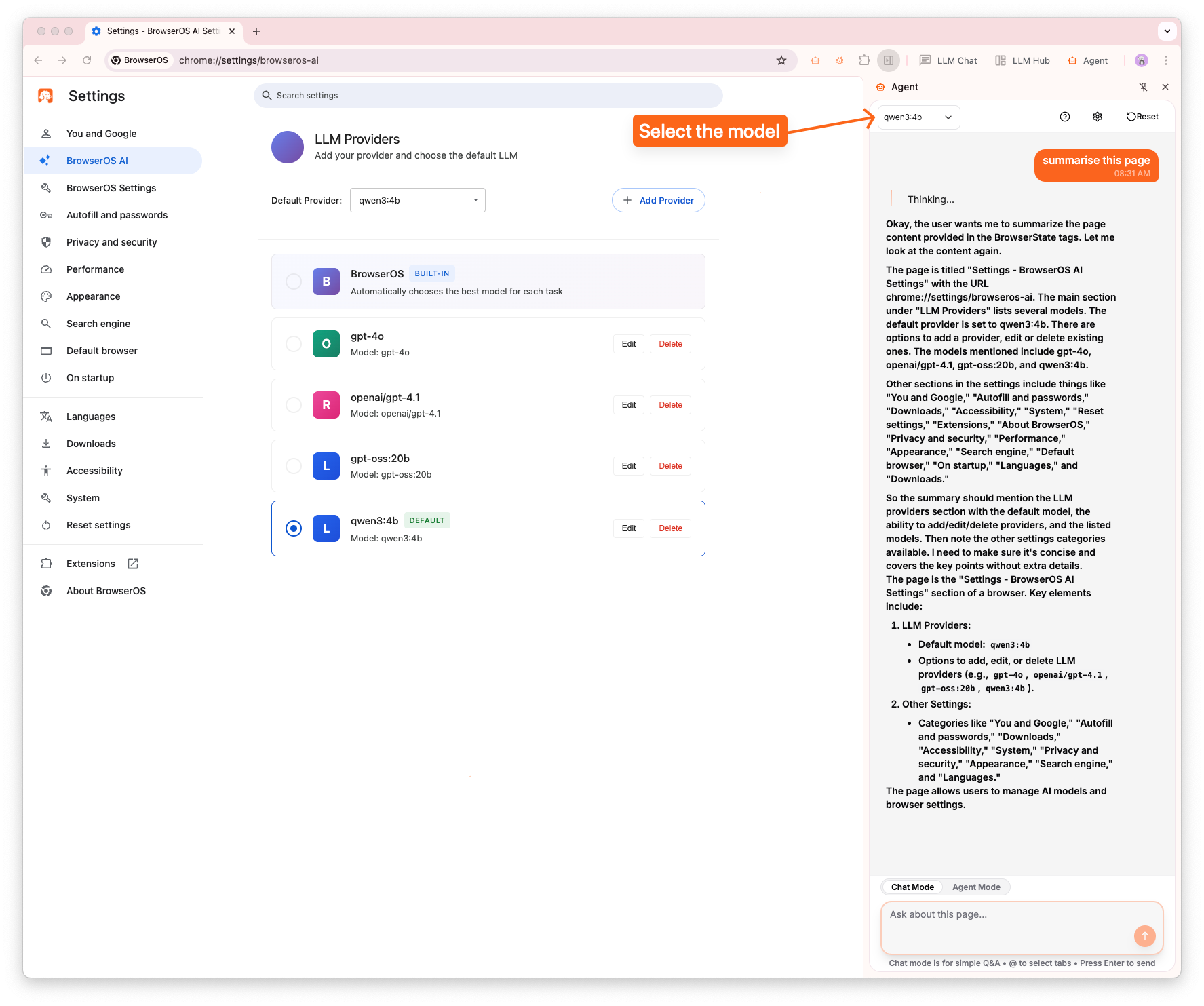
Alternative: LM Studio
LM Studio Setup
If you prefer not to run Ollama from the command line, LM Studio provides a more user-friendly alternative with a graphical interface.