
Complete Setup Guide
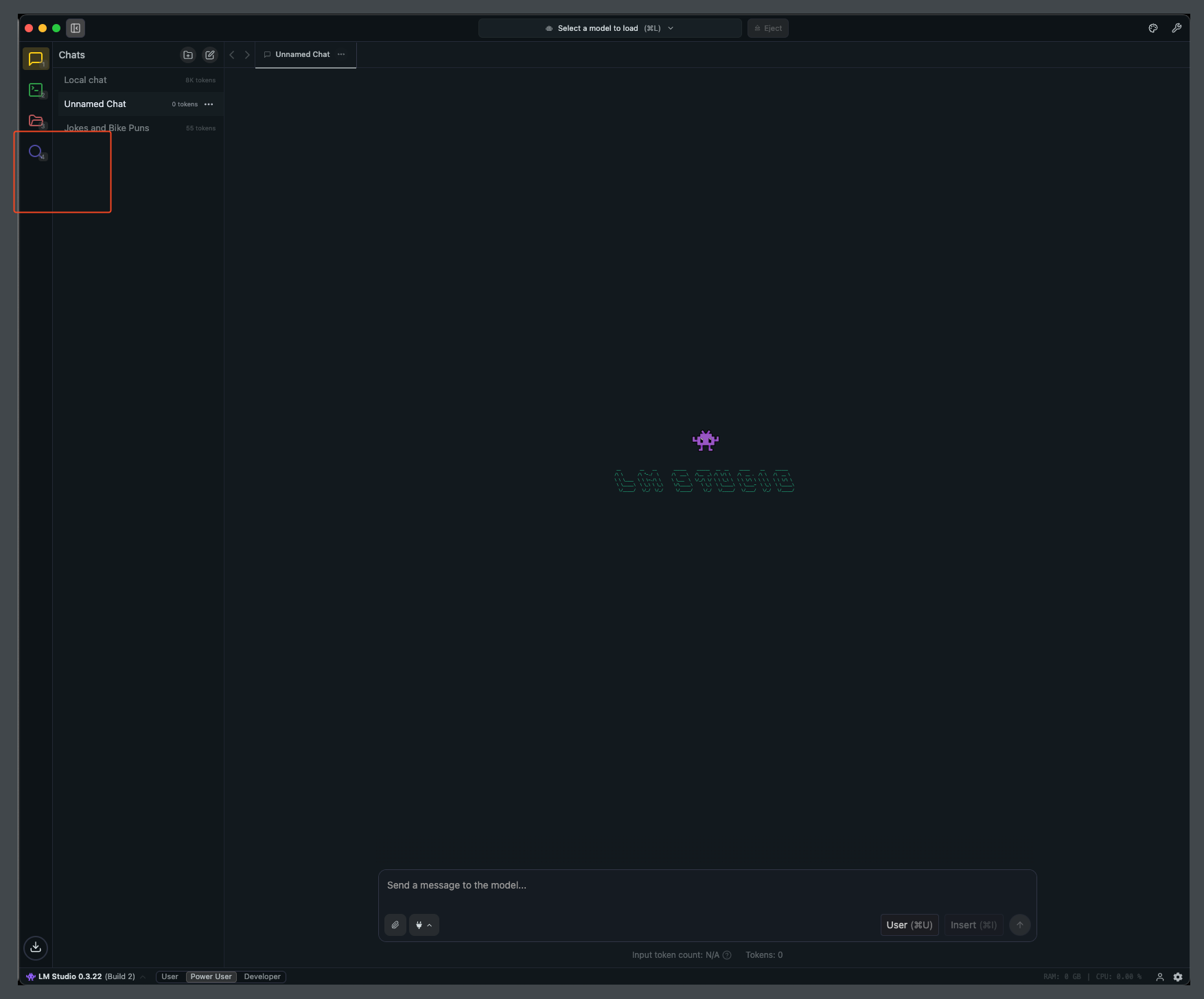
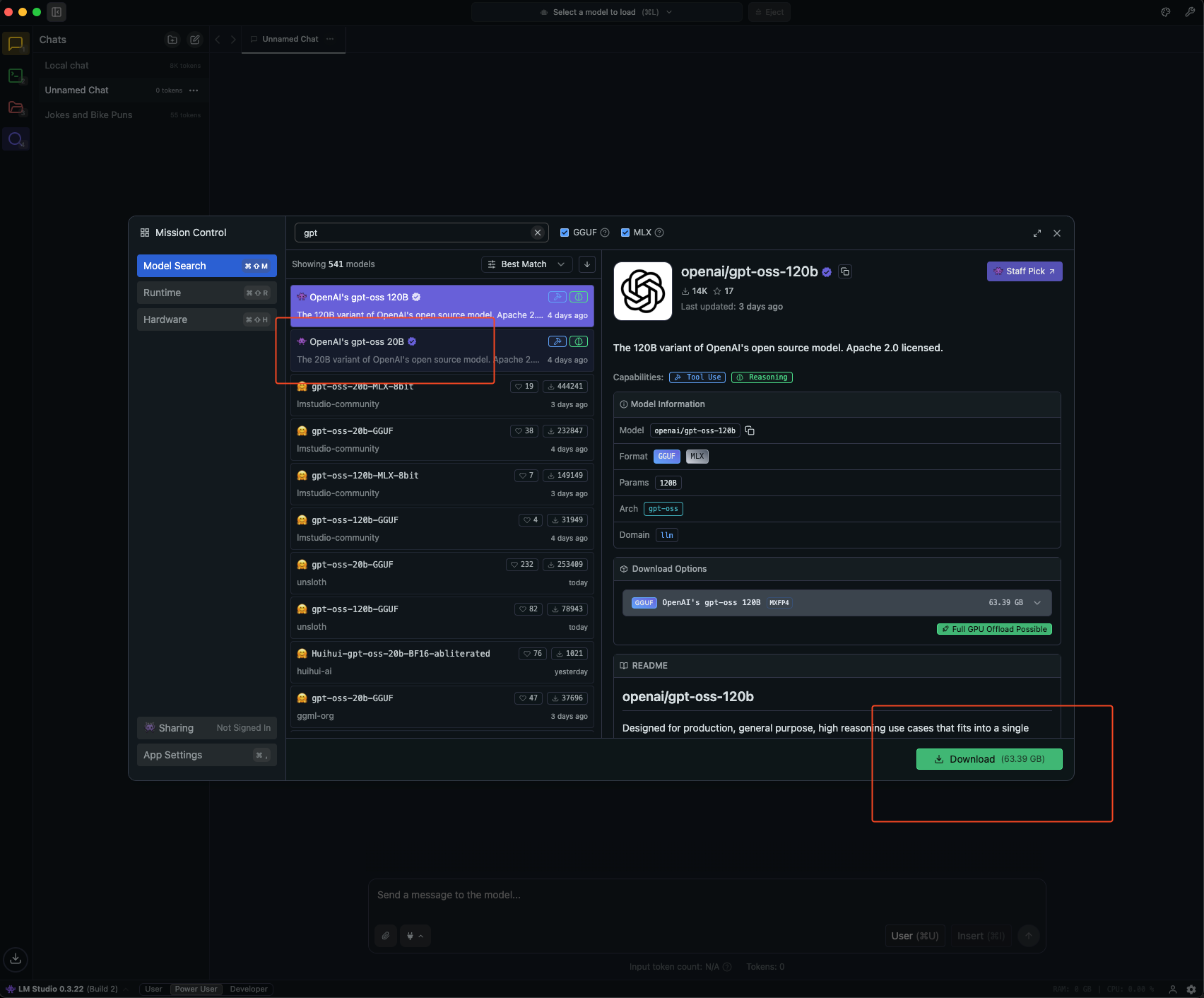
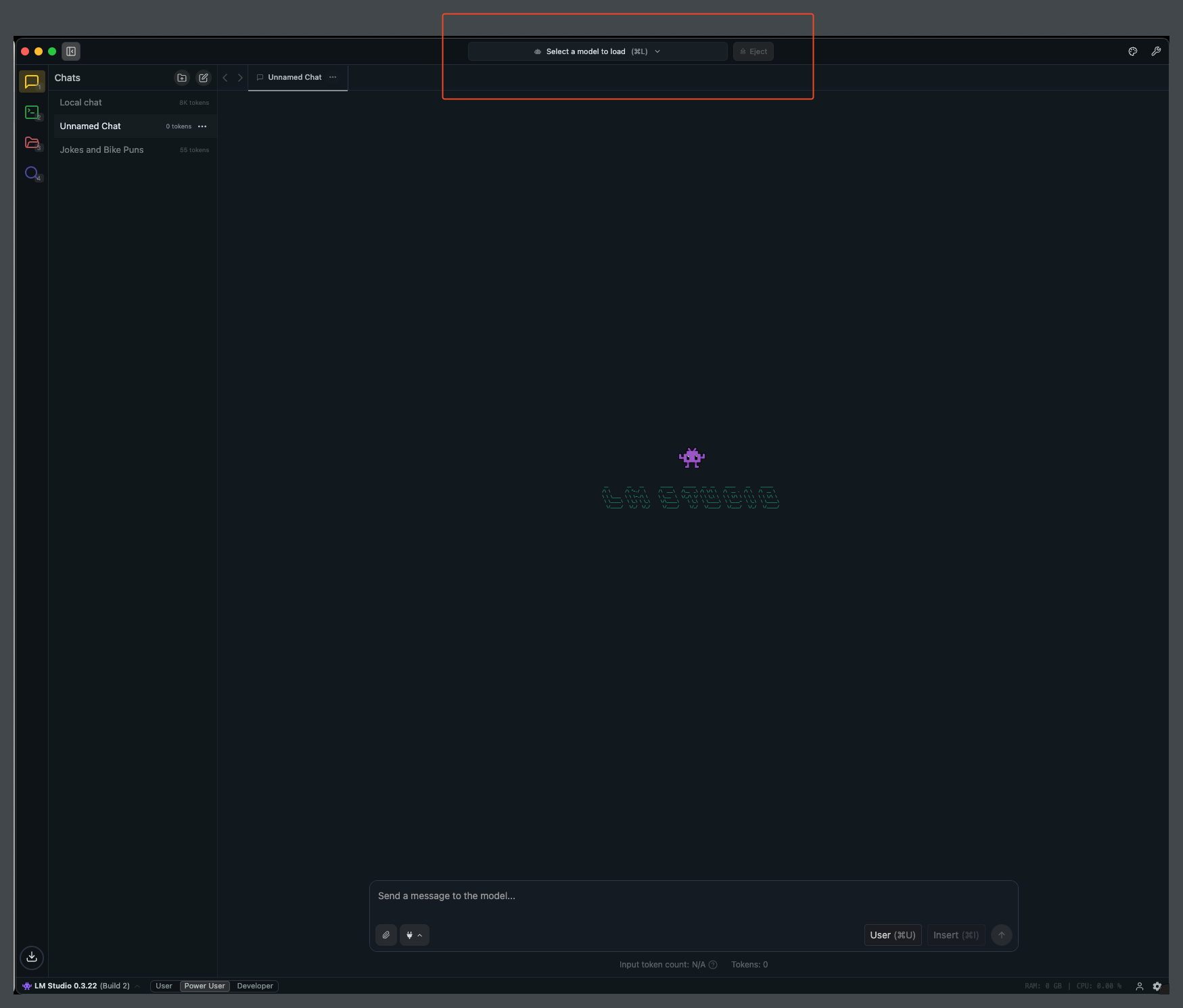
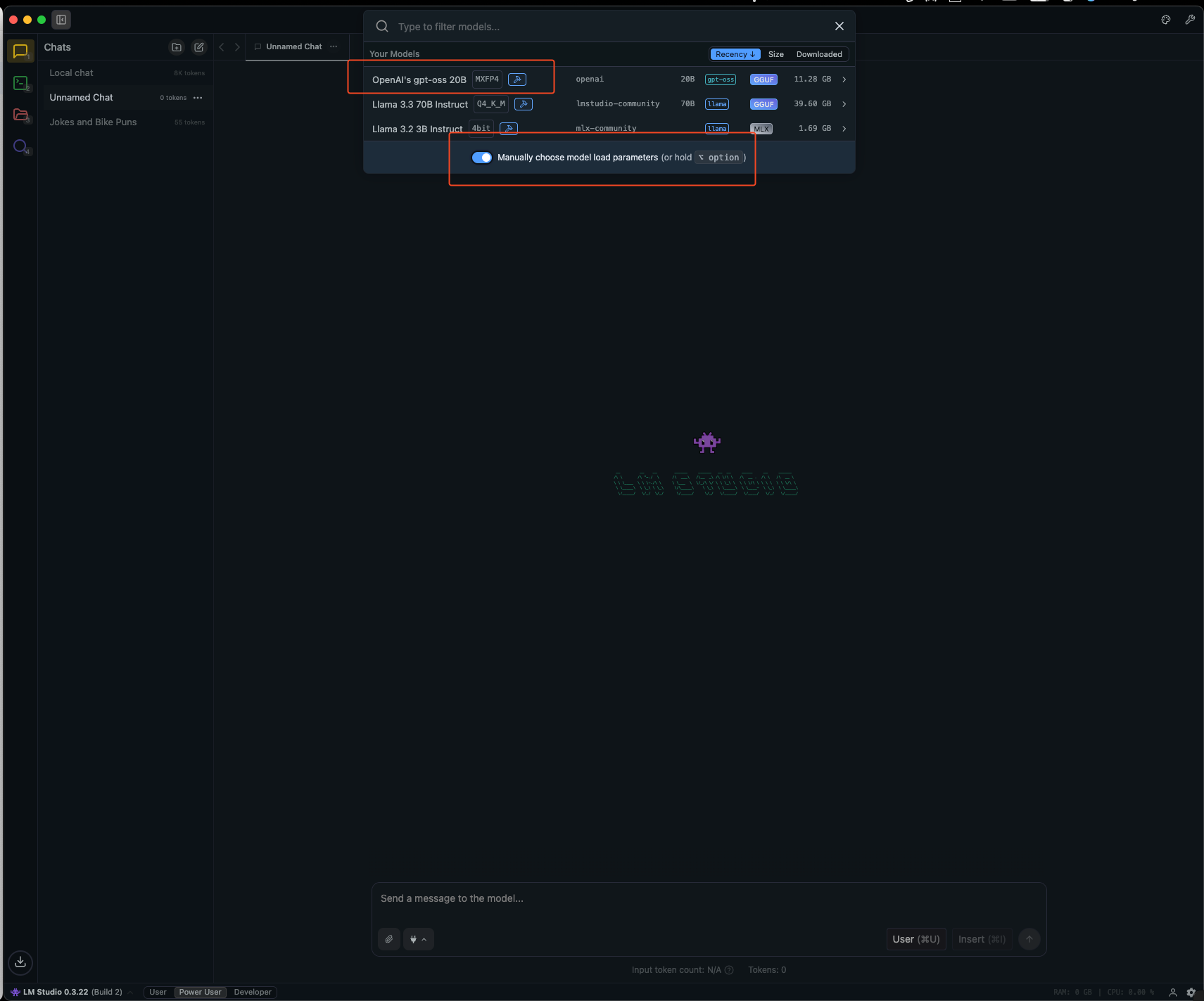
This guide will walk you through setting up and using OpenAI’s GPT-OSS model with LM Studio and eGovernmentOS.Step 1: Setup LM Studio and Download GPT-OSS
Download LM Studio
Download LM Studio from https://lmstudio.ai/
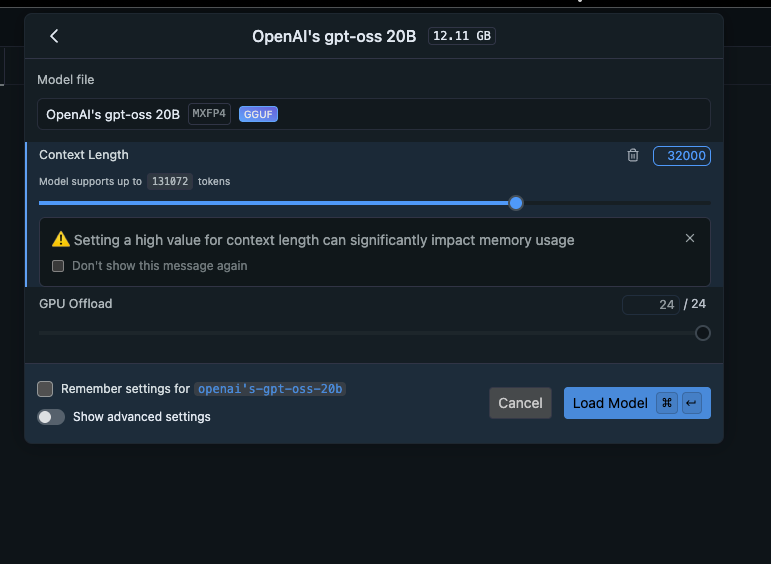
Step 2: Configure eGovernmentOS to use LM Studio
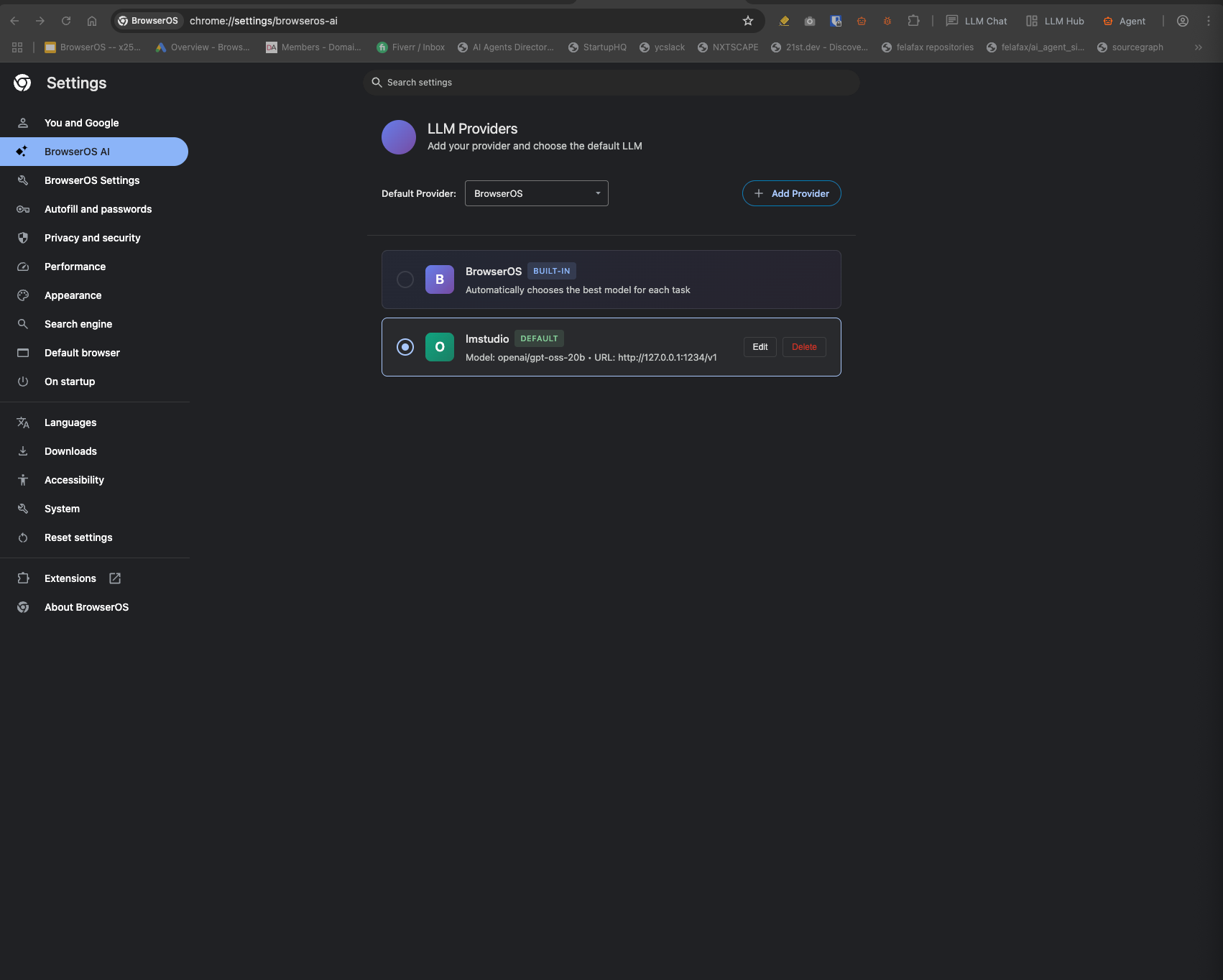
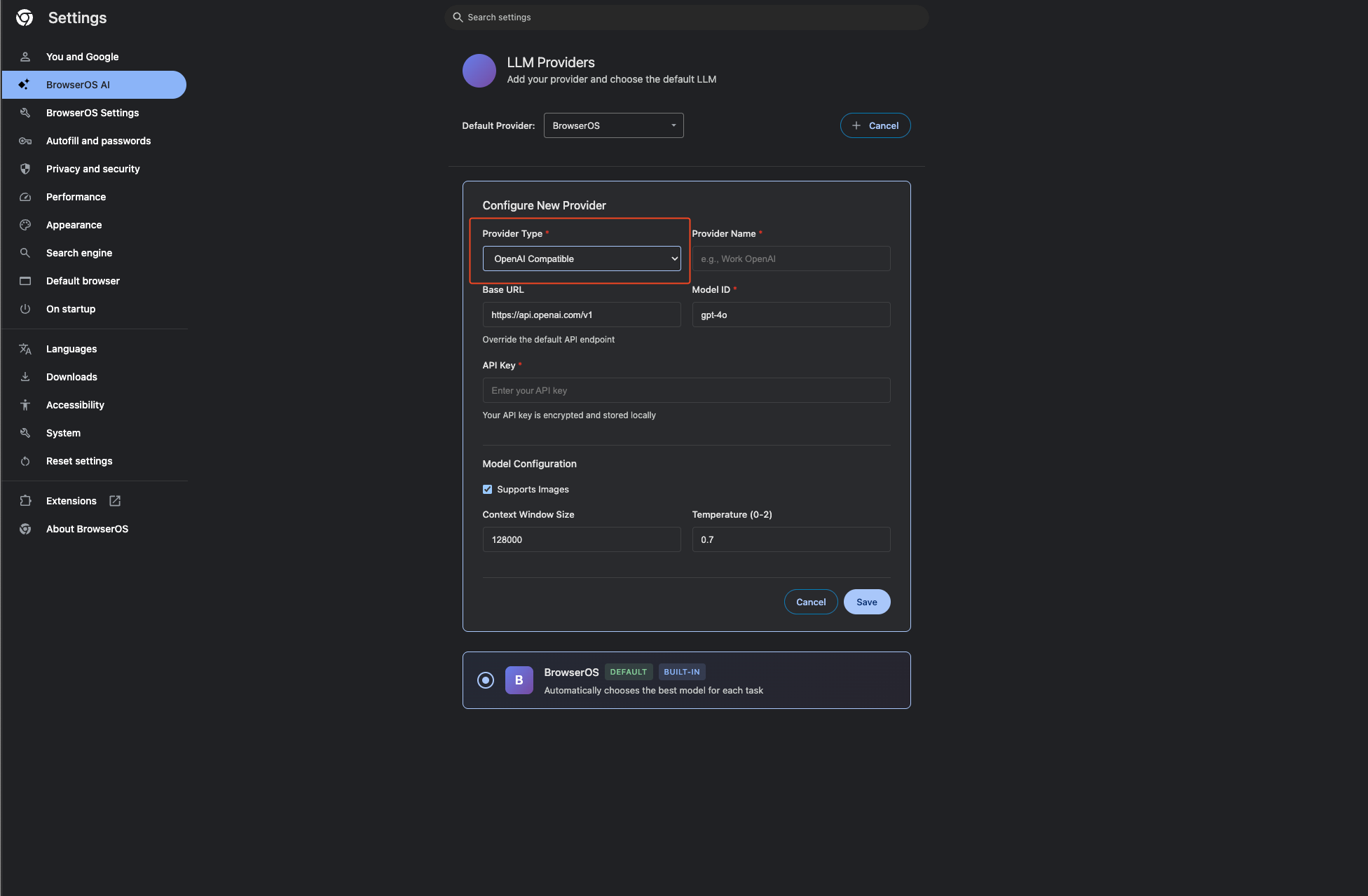
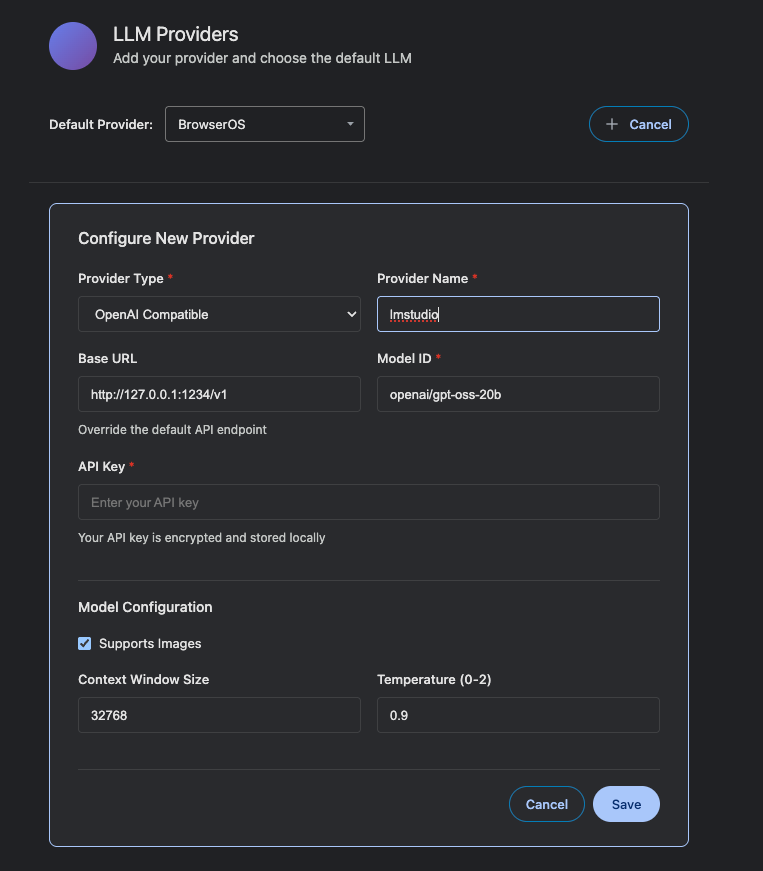
Configure Connection
- Set Base URL to
http://127.0.0.1:1234/v1 - Set Model ID to
openai/gpt-oss-20b - Set context length to 32768
- Save your configuration
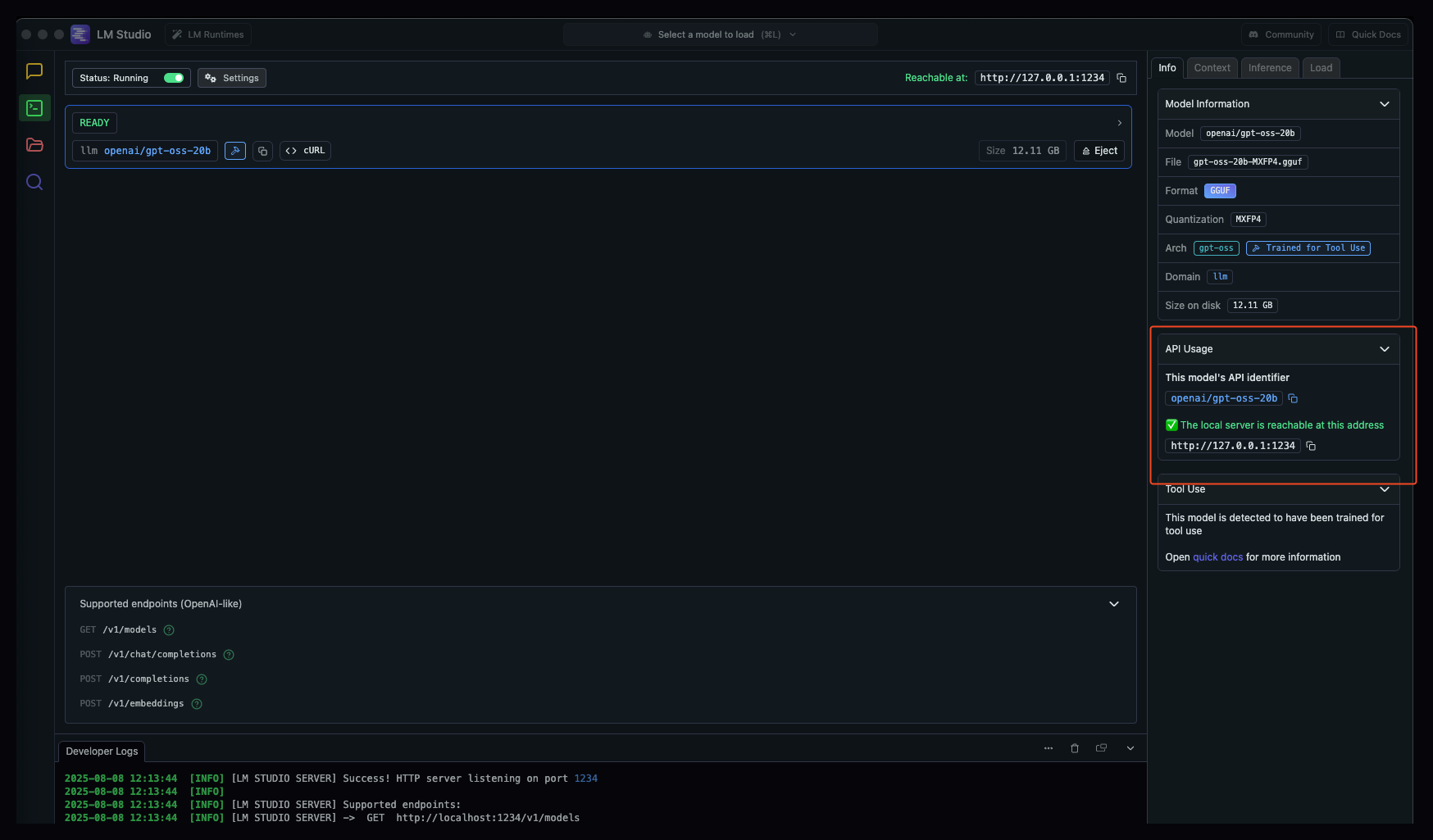
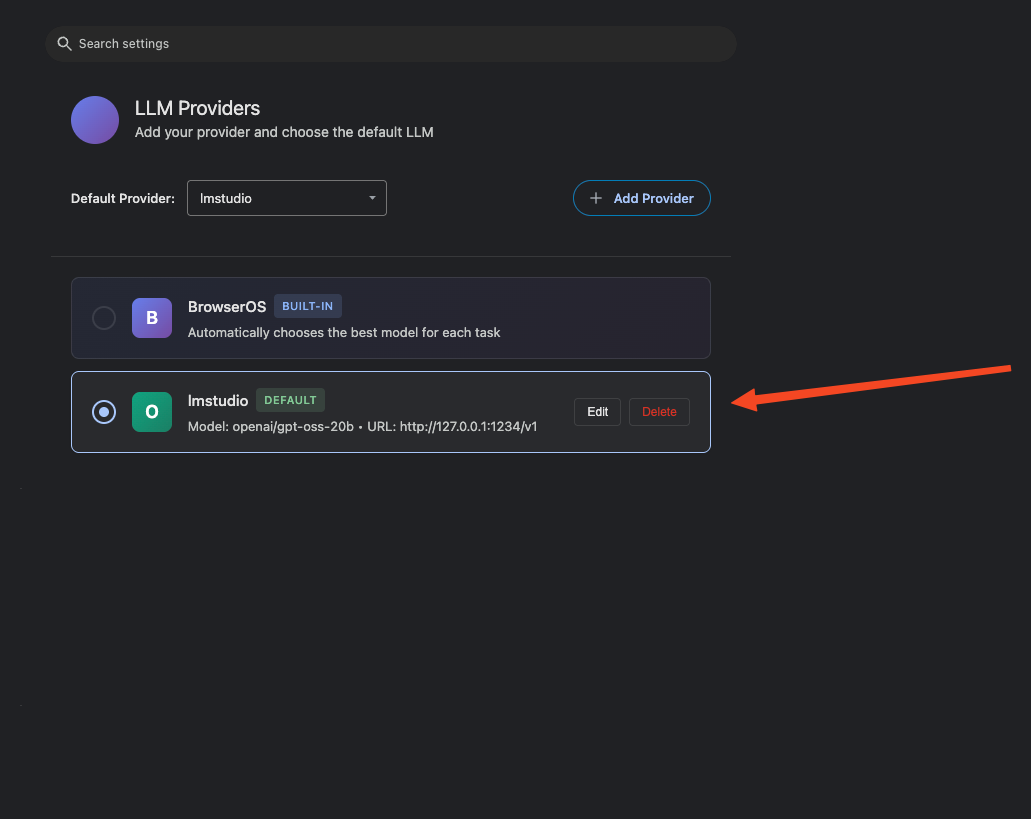
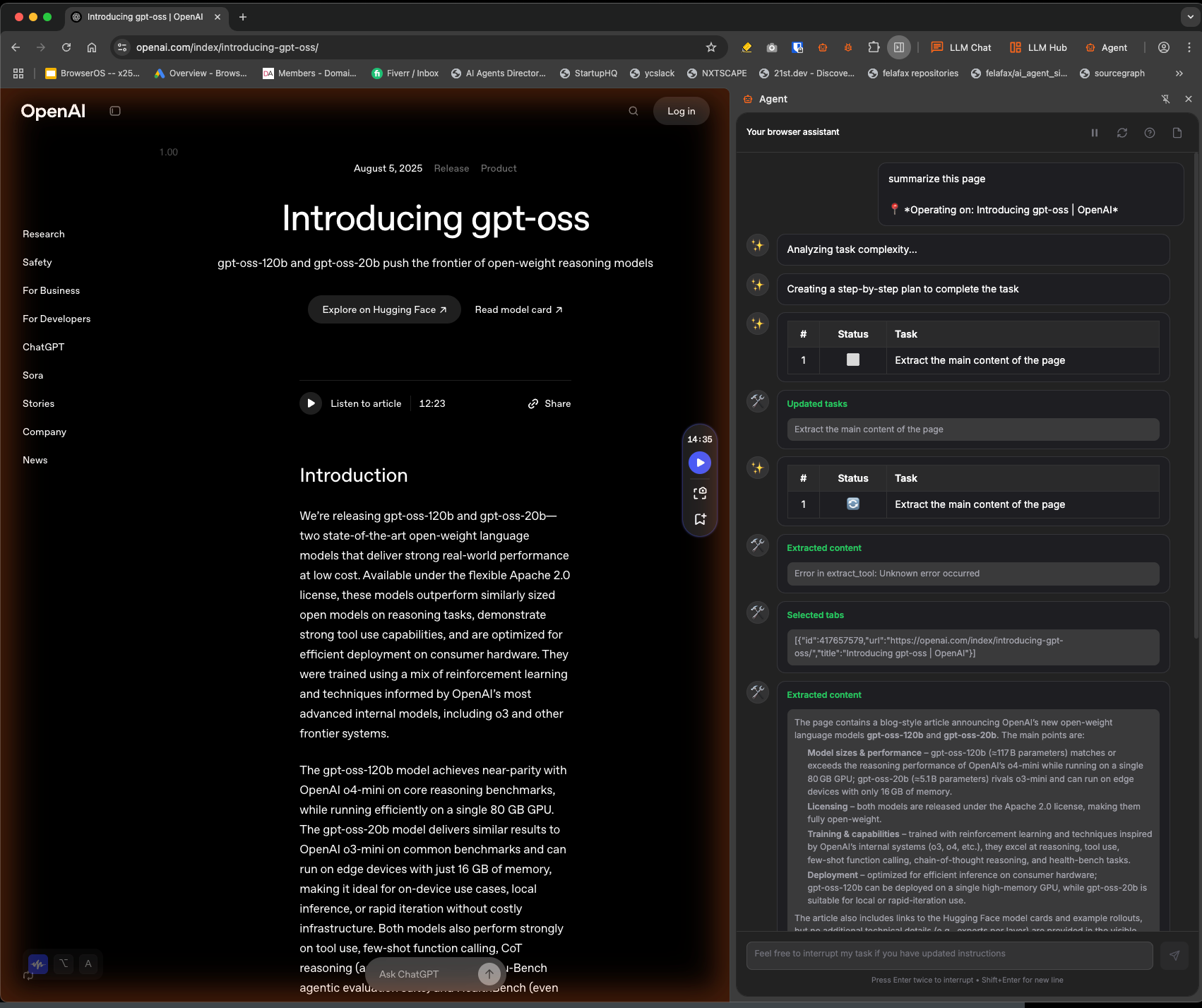
Configuration Summary
Troubleshooting
Model not responding
Model not responding
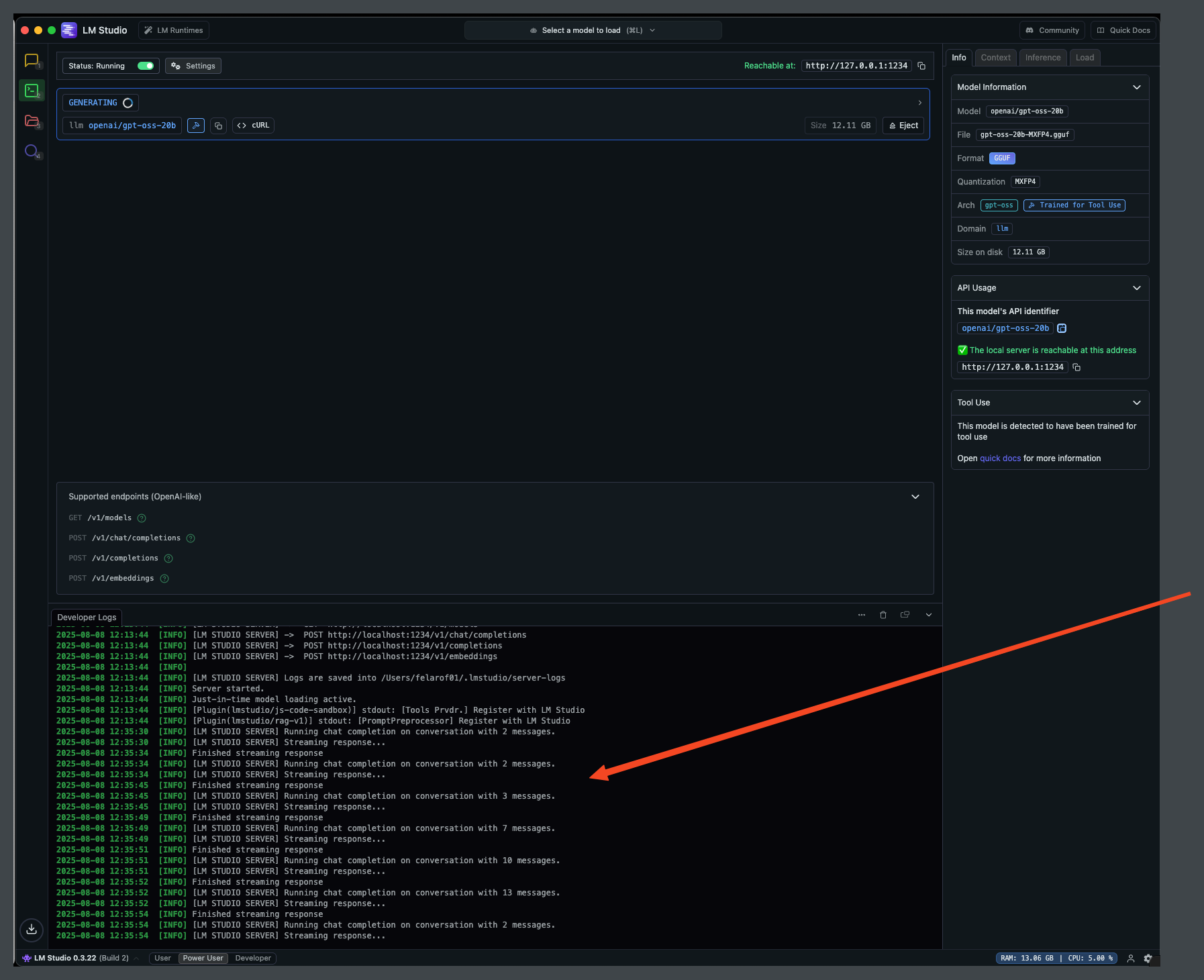
- Verify LM Studio is running and the model is loaded
- Check the server logs in LM Studio for any errors
- Ensure the Base URL is correct (http://127.0.0.1:1234/v1)
Context length errors
Context length errors
- Make sure the context length in eGovernmentOS matches LM Studio
- Reduce context length if you’re running out of memory
- Consider using a smaller model if hardware is limited